

Completed Project: Dimitar Chavdarov on the Microsoft 365 Rollout. What is changing for our teams?
How do you build a shared digital environment for companies with different systems, working habits and internal processes? At Stabil Group, this change is taking shape through the phased rollout of Microsoft 365, a project that brings together email, calendars, meetings and collaboration tools across the group.
The transition to the new platform involves months of preparation and the migration of large volumes of data. The main task is to implement the change without disrupting day-to-day operations and to improve communication between the companies.
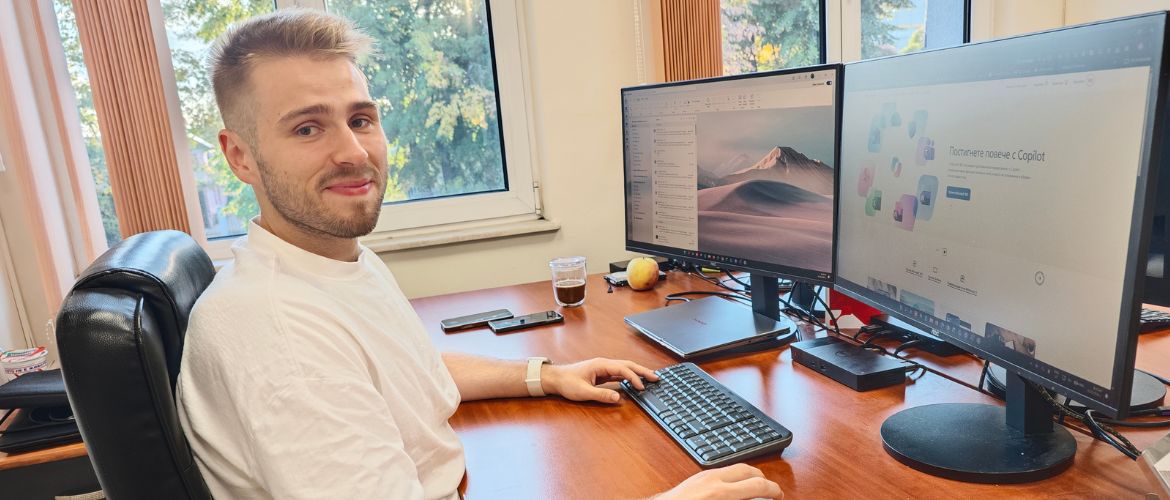
We spoke to Dimitar Chavdarov, Computer Networks and Systems Specialist at Stabil Group, about progress to date, the technical challenges and the next steps. In this interview, he explains how the rollout is progressing and how the shared environment is already making specific everyday tasks easier.
Hello, Dimitar. Let’s start at the beginning: what does the Microsoft 365 rollout project at Stabil Group involve, and why was it launched?
The Microsoft 365 project aims to bring the companies within Stabil Group together in a shared digital environment. Until now, each company worked differently, using different email systems and applications and following its own working habits.
The project goes beyond replacing one email system with another. It includes Outlook and Exchange Online, Microsoft Teams, OneDrive, SharePoint, shared calendars, meeting rooms, shared mailboxes, and centralised user and access management.
With Microsoft 365, our goal was to create a more consistent way of working, enabling employees to communicate more easily, access information more readily and collaborate more effectively across the different companies in the group.
What stage has the rollout reached?
Many of the companies are already using the shared Microsoft 365 environment, and the main email migration is almost complete.
The next step is to make fuller use of Teams, SharePoint, OneDrive, shared calendars and the other collaboration tools.
In other words, the focus is now moving beyond migration to how we can use the platform more effectively in our daily work.
Which solutions or processes required the most extensive preparation?
Email migration required the most preparation because of the large volume of data involved. Some users’ mailboxes contained tens of gigabytes of data and more than a hundred thousand messages. We also had to account for different ways of working that had developed over the years.
Another important consideration was how to structure the shared environment so that it would work well for the different companies while maintaining clear boundaries between teams, departments and management levels.
Were there any company-specific technical considerations within the group?
Yes, because each company has its own history, structure and way of working.
We have different domains, shared business email addresses, employees who work for more than one company, different internal processes, and integrations with external systems such as Bitrix24. For these integrations, moving to Microsoft 365 means changing not only the email settings but also the authentication methods and the way shared mailboxes are accessed.
The challenge is to bring all of this together on one platform without the companies losing their identity or their day-to-day operations being disrupted.
How has day-to-day work changed for employees who are already using the shared platform?
The most noticeable change is that more and more everyday tasks are being carried out in the same environment.
Email, calendars, meetings, chat, files and collaboration are gradually being brought together under a single work account. This makes communication easier, particularly between people from different companies within Stabil Group.
Can you give a specific example of a process that is now easier?
Organising a meeting is a very good example.
Previously, we often had to check separately when everyone was available and whether a particular meeting room was occupied. Now, through Outlook and Teams, we can see participants’ availability and whether a room is free, and book it as part of the meeting invitation itself.
Shared business email addresses are another example. Microsoft 365 allows these to be managed as shared mailboxes. All authorised employees can access the same correspondence and send messages from the shared address.
This may seem like a small change, but when it is repeated every day across the organisation, it saves time and reduces the need for back-and-forth communication.
How does the centralised environment help the IT team?
For the IT department, centralisation means better visibility and faster response times.
We can now manage users, access permissions and a large proportion of our services within a single environment. This helps us address both everyday technical issues and security-related situations. It also enables us to gradually introduce consistent standards across all companies.
What preparation or training do teams receive before migration?
We chose a phased approach rather than migrating all companies at once.
Before each migration, we prepare users and their workstations, check their mailboxes and how they use them, and explain in advance what will change.
After migration, the main focus is on practical matters: how to sign in to the new account, how Outlook and Teams work, how to use calendars, how to access shared mailboxes, and how the new setup differs from the previous way of working.
It is important to us that training relates to each team’s actual day-to-day work, rather than simply presenting every feature Microsoft 365 offers.
Which questions or difficulties are most common at the beginning?
Most often, it comes down to changing habits. People are used to working in a particular way, so at first they naturally look for familiar features in their usual locations.
For example, someone who has used email in a certain way for years initially looks for the same menus and features in the same places.
There are often questions about different accounts, shared mailboxes, how to use the calendar, and the difference between a private chat, a team and a channel in Teams.
Another common question concerns files: what is stored locally, what is in OneDrive, and how files can be accessed.
After a short adjustment period, however, most users become comfortable with the new environment very quickly.
What has been the biggest challenge so far?
The biggest challenge was implementing this change without interrupting the companies’ normal operations.
Email is a critical service. We cannot tell a company that it will have no email for a day or two while we carry out the migration. That is why much of the work remains invisible to users: preparing domains, accounts, licences, archives and DNS settings, transferring data, and carrying out post-migration checks.
The variety of existing setups posed an additional challenge: different companies, different domains, different versions of Office, different email clients and very large email archives accumulated over the years.
That is why we chose a phased migration from the outset. After migrating each company, we could review the results, refine the process and prepare more effectively for the next migration.
How will the unified digital environment change Stabil Group in the long term?
In my view, the greatest impact will be on how the companies work with one another.
When people use shared tools, a common communication environment and consistent rules, it becomes much easier to share knowledge, information and resources.
In the long term, this will make Stabil Group a more connected organisation, with faster communication, clearer processes and better opportunities for collaboration between the individual companies.
For me, that is the most important part of the project: going beyond implementing new software to create an environment that helps people and companies within the group work even better together.


